
New · iPhone Duo support
Listen to anything you read.
Books, PDFs, papers, web articles, and your own notes in one private library, read aloud in natural voices. Translation and summaries happen on your device too.
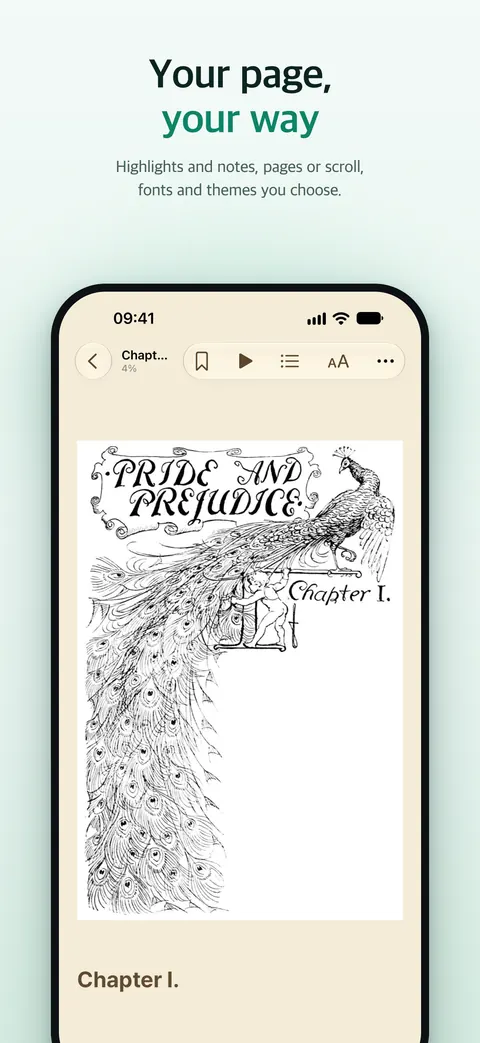
Scroll to turn the page
Chapter 1
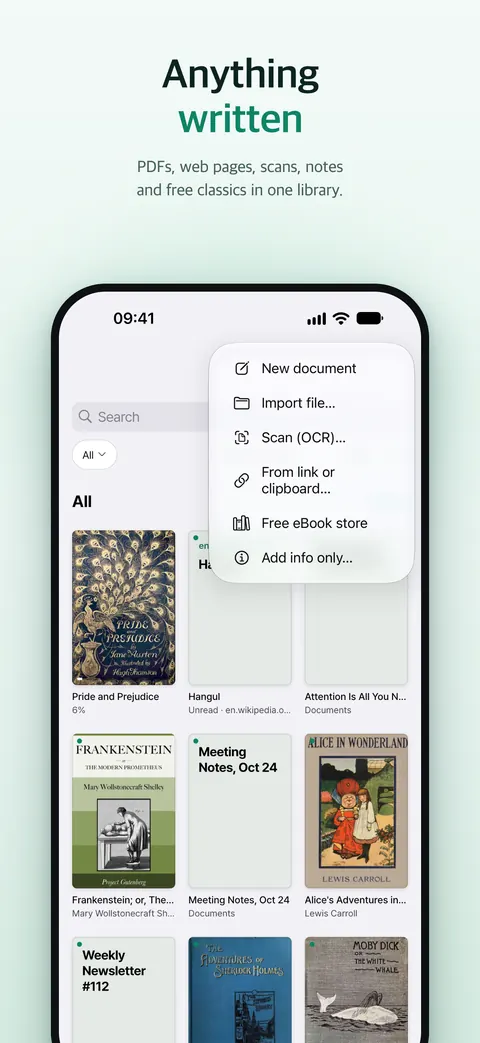
Anything you read, one shelf.
- Files
- EPUB, PDF, TXT, Markdown, RTF, MOBI, AZW3, FB2
- Web articles
- Share from Safari, keep the clean text
- Papers
- Search and download from arXiv
- Free classics
- Project Gutenberg and Wikisource
- Photos of text
- On-device OCR turns pages into text
- Your notes
- Write them, then listen right away
- Articles
- Papers
- PDFs
- Notes
- Books
Chapter 2
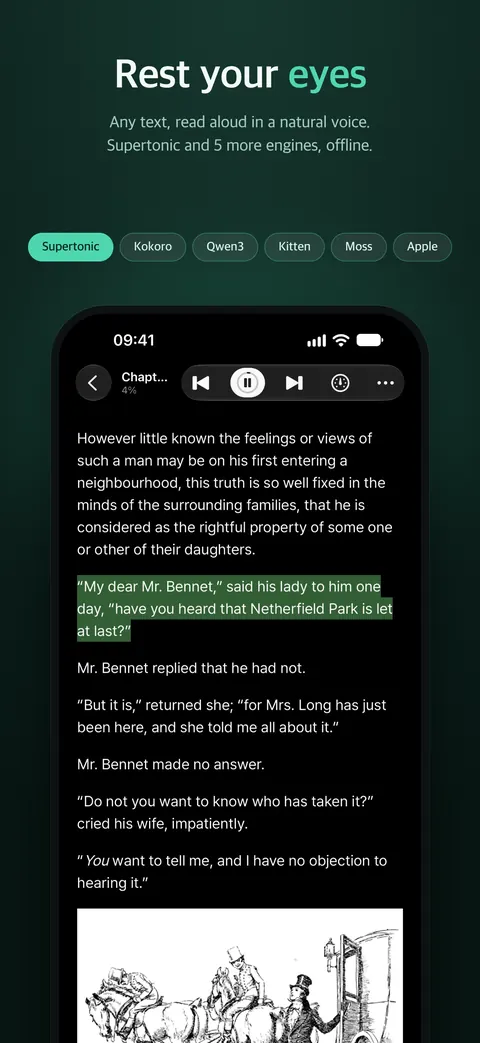
A voice that follows every sentence.
Fold it, and listen on the go. Unfold it, and it becomes a book. Every word stays on your device.
The highlight moves as you scroll. Press play to hear the real voice.
- Supertonic
- Kokoro
- Qwen3
- MOSS
- Kitten
- Apple
Chapter 3 · New
Unfold it, it becomes a book.
- Two-page spread
- Left and right pages that clear the fold
- Turn with a finger
- The page follows your drag and your release speed
- Side rail
- Playback controls that never cover the text
- Fold it shut
- Keep listening on the outer display
Chapter 4
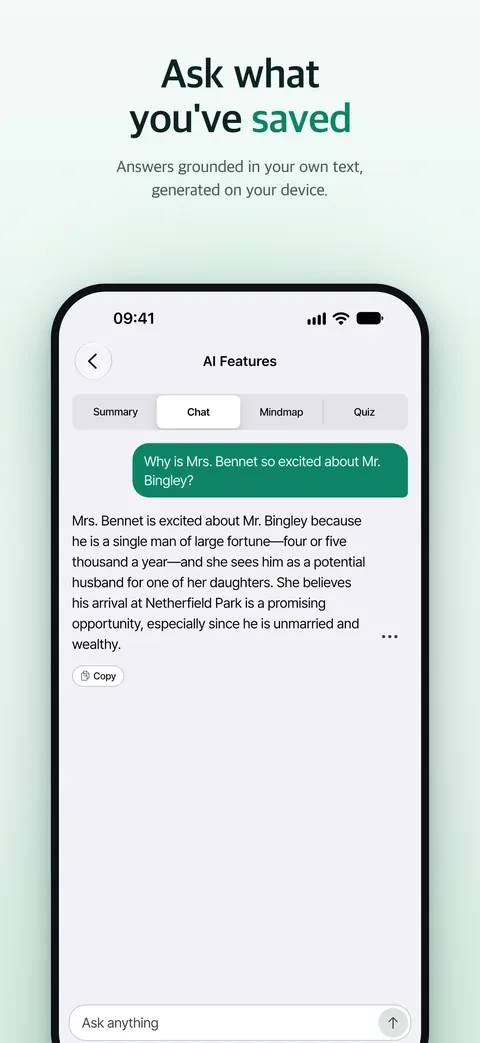
Ask and translate where you read.
Summarize this chapter in one line.
Alice follows a White Rabbit down a hole and lands in a hall of locked doors. [1]
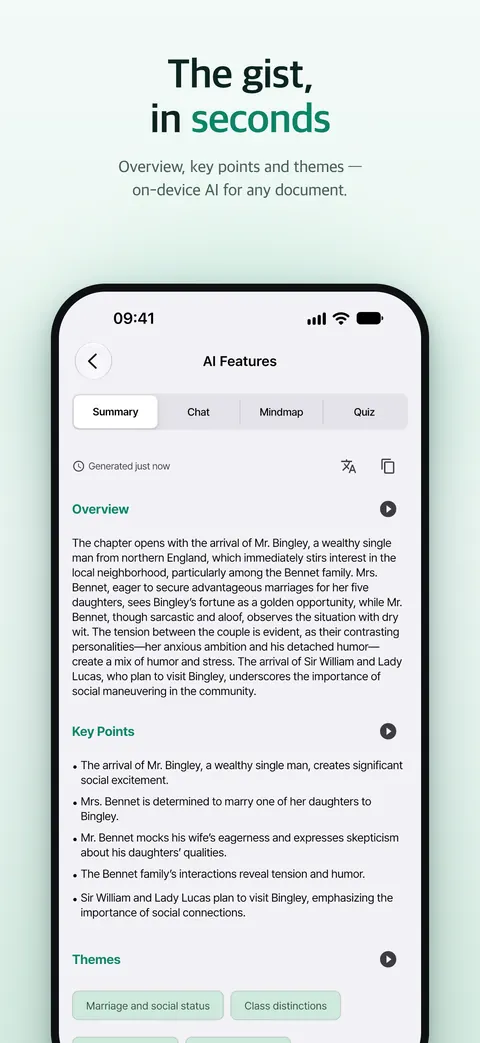
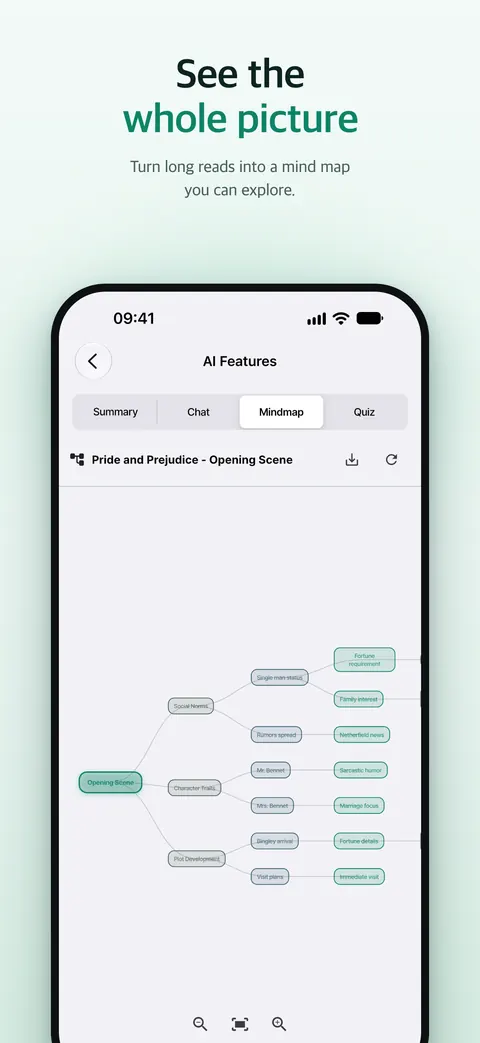
Summaries, questions, and mind maps with Apple Intelligence or a downloaded Gemma model. Apple Translation shows the original and the translation side by side.
- Summary
- Questions
- Mind map
- Search your library
Chapter 5
Every word stays on your device.
- No account
- No PageEcho servers
- No analytics
The app lists every network destination it can contact. In airplane mode, reading, listening, and translation keep working.
Inside the app.
Real screens from PageEcho 1.5.
Loved by readers.
Real reviews from language learners, grad students, and everyday readers.

“I think your app has amazing potential. The Supertonic voices are amazing. I found the Supertonic voices today while listening to a PDF in Chrome.”
“Truly impressed by its functionality and design. Your app can support foreign language learners who benefit from auditory reinforcement.”
“Really enjoying this app so far. It's simple, clean, and the text-to-speech works surprisingly well. Definitely handy for keeping all my books in one place.”
“영어 원서 책이 바로 번역되는건 대박이네요. 책뿐만 아니라 논문도 바로 볼 수 있는게 너무 좋습니다. 폰으로 일일이 다운받을 필요 없이 한번에 모아서 볼 수 있어 편리합니다.”Questions, answered.
Everything you need to know about PageEcho.
PageEcho is a private reader for iPhone, iPad, and iPhone Duo that reads any text aloud. Collect books, PDFs, papers, web articles, scanned pages, and your own notes in one library, then listen with natural on-device voices, translate, and ask questions. EPUB, PDF, TXT, Markdown, RTF, MOBI, AZW3, and FB2 are supported. Everything is processed on your device. No account required, no data collected.
PageEcho has no servers of its own. Your books, annotations, reading history, AI conversations, and translations are processed and stored on your device. The only sync option is your personal iCloud account, encrypted under your Apple ID and invisible to us. No analytics, no tracking, no sign-up. Siri and Search is off by default; if you turn it on, Spotlight and Shortcuts receive titles, authors, highlighted passages and notes, never the text of a book. The app also lists every network destination it can contact.
Seven engines: Supertonic v3 (fast neural voices in 31 languages), Kokoro (54 expressive voices across 8 languages), Kokoro Deutsch (a German voice, experimental), Kitten (lightweight English voices, free and unlimited), Qwen3-TTS (neural voices in 10 languages), MOSS (13 languages), and Apple's system voices (free and unlimited). Every engine synthesizes audio on your device.
Yes. Listening is a core reading mode, not an add-on. You get real-time sentence highlighting, tap any sentence to play from there, background playback with lock-screen controls, adjustable speed, a sleep timer, and automatic continuation to the next chapter. It works for books, PDFs, papers, and saved web articles alike.
Unfold it and the reader becomes a two-page spread that keeps text clear of the fold. You turn pages by dragging them with your finger, and the page finishes the turn at the speed you let go. Playback controls move to a side rail so they never cover the text, and when you fold it shut you keep listening on the outer display.
No. AI runs on Apple Intelligence (on a compatible device such as iPhone 15 Pro or later, or an M-series iPad), entirely on-device. If your device doesn't support Apple Intelligence, or you simply prefer it, you can download an optional local Gemma model (about 2.6 GB) that also runs fully offline.
Streaming chapter summaries, contextual Q&A about what you're reading, and visual mind maps. Global AI Chat goes further: it searches across your entire library using on-device semantic indexing and answers with numbered citations pointing back to the exact passages.
EPUB, PDF, TXT, Markdown, RTF, MOBI, AZW3, and FB2. You can also save web articles from the iOS Share Sheet, import text from images with OCR, and write your own documents in the built-in editor. DRM-protected files are not supported, since they can't be processed locally.
Yes. A built-in arXiv browser lets you search by category, download papers, and read them like any book: listen on the go, get AI summaries, and highlight as you read. There's also a free catalog of public-domain classics from Project Gutenberg and Wikisource.
Optionally, yes. iCloud sync keeps your books, reading progress, bookmarks, and highlights in step between iPhone and iPad, through your personal iCloud account only. It's off by default, can be disabled per book, and never touches a third-party server.
The core reading experience is free, including unlimited listening with the Apple and Kitten voices. The premium voice engines (Supertonic, Kokoro, Kokoro Deutsch, Qwen3, MOSS) are free for 10 chapters per engine each month; PageEcho Premium unlocks them without limits, along with the full AI feature set.
Kindle and Apple Books are built around their own stores. PageEcho is built around the text you bring: files in many formats, web articles, papers, and your own notes, read aloud by seven on-device voice engines with offline translation and AI. Nothing you read is sent to a server.
Yes. It's a universal app with an iPad layout that includes split view for reading alongside AI, parallel reading of two chapters, a bilingual original and translation mode, and hardware keyboard shortcuts. Requires iOS or iPadOS 26 or later.
Not currently. PageEcho is built for iPhone and iPad (iOS and iPadOS 26 or later) to make full use of Apple Intelligence, on-device translation, and Metal-accelerated voices.
Still have questions?
Contact support
Your library is already waiting.
Bring the books, papers, articles, and notes you already have. PageEcho reads them to you, privately. Free to start, no account, no upload.